


Hey Community!
Our Winter 2026 Product Release is coming on December 2!
AI has made individual marketers much faster, but those wins often stay with the one person who figured out the setup. This release is about making AI work for the whole team, with shared access, built-in guidance, and the same customer context for everyone.
💬 Join the conversation
Read on to see what’s new, what’s included, and how to start planning.
We’d love to hear from you in the comments below! Which of these are you planning to roll out first? Is your team ready to try Iterable with Claude, ChatGPT, or Cursor? Which integration are you most excited about?
Bring Iterable Into Your AI Tools 🤖
Hosted MCP Server
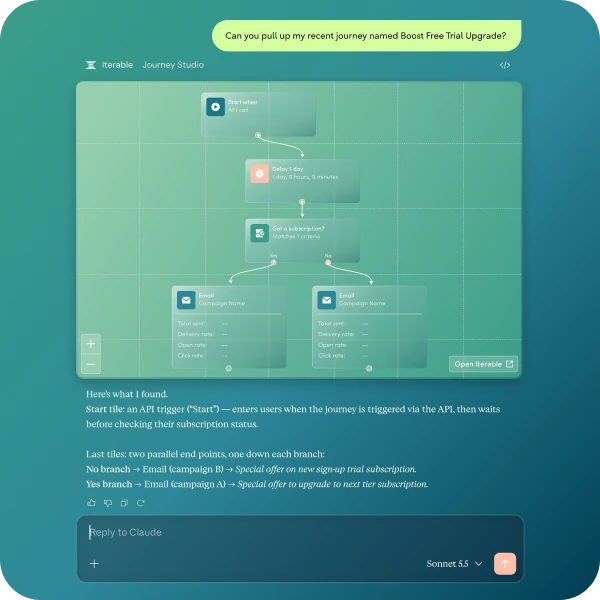
- What’s included: An Iterable-managed MCP server you install from the Claude, ChatGPT, or Cursor directory. Requests run through Nova Agent, so Nova Intelligence and Iterable’s built-in marketing expertise come with you. You can build and stage journeys, preview emails against a real customer profile, and send proofs, with journey canvases and email previews rendered right in the chat.
- Why it matters: Each person signs in with their own Iterable login (including SSO), and their agent can only do what that person’s role allows. Admins enable the connector and choose read-only or write access. There are no shared API keys, and a setup that used to belong to one power user can be rolled out to the whole team.
Use cases to try:
- Build and stage a journey in chat: Describe the flow and review the journey canvas right in Claude, ChatGPT, or Cursor before it goes live.
- QA before you send: Check Handlebars, grammar, and links, preview a template against a real profile, and send a proof.
- Audit your program: Ask your AI to list every live journey and campaign, flag the ones that are declining, and spot naming inconsistencies.
- Find what needs updating: Ask “Which campaigns use the {{firstPaymentAmount}} field?” and pull those templates for review.
- Analyze performance in plain language: Ask “When did click rates start dropping on our welcome series, and how does that compare to last year?”
- Give the whole team access safely: Each person signs in with their own Iterable login, so their AI can only do what they can.
Already using the local MCP server?
Here’s how hosted differs:
| Local MCP Server | Hosted MCP Server | |
|---|---|---|
| Runs | On your machine | Iterable-managed remote service |
| Connection | Local connection with an API key | Remote connection with OAuth |
| AI clients | Primarily desktop and CLI clients | Claude, ChatGPT, Cursor, and other MCP hosts that support remote connectors |
| Intelligence | Passes requests to Iterable’s API, so your AI tool works out the workflow | Routes through Nova Agent, which handles marketing workflows |
| Access control | API-key permissions | Per-user sign-in and Iterable role-based permissions |
| Multi-step work | You build the sequence or skills | Nova Agent runs the sequence, such as building a journey, then previewing and proofing its email |
| Seeing your work | Log back into Iterable to review | Journey canvas and email previews appear in the chat |
Your local server isn’t going anywhere. It stays available, nobody is moved automatically, and hosted is a separate opt-in setup. Hosted also uses the same Nova Agent you may already use in Iterable, so the capabilities match and only the presentation differs.
Faster Mobile Setup 📱
AI-Assisted SDKs (iOS, Android, React Native)
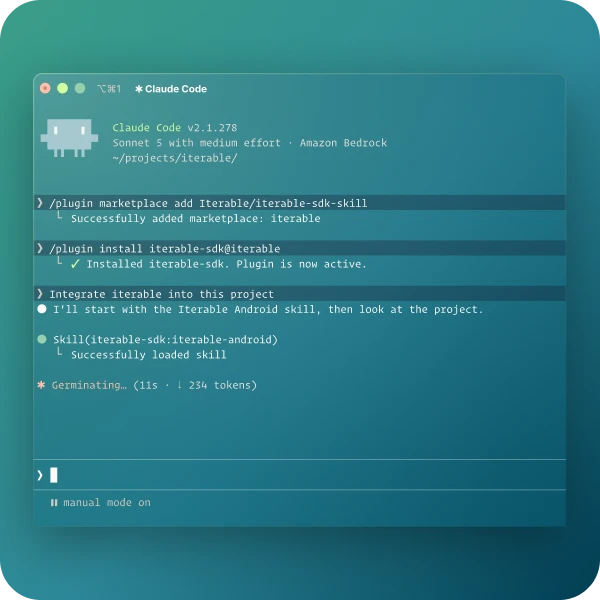
- What’s included: Version-specific Iterable guidance built into each SDK repo, plus a skill you install in Claude Code, Cursor, or Codex (also available through Context7). It guides your coding agent from setup to a verified first message.
- Why it matters: AI-written integration code can compile cleanly and still fail once the app is running. This guidance confirms a real message reaches a test device, so you catch silent failures before your customers do. It’s built to get you to a verified first message in under an hour. Developers still review every change.
Community Tip: Install the skill in Claude Code, Cursor, or Codex and ask your agent to add push, in-app, or embedded messaging, upgrade your SDK, or troubleshoot delivery. You’ll need an Iterable project, a test app and device, and one of those tools. A few steps stay manual, like creating API keys and parts of the Apple push setup, and every change should be reviewed like any other code. Not a developer? Share this with whoever handles your app’s SDK work.
Shared Customer Context 🔌
Integrations Hub: New and Enhanced Integrations
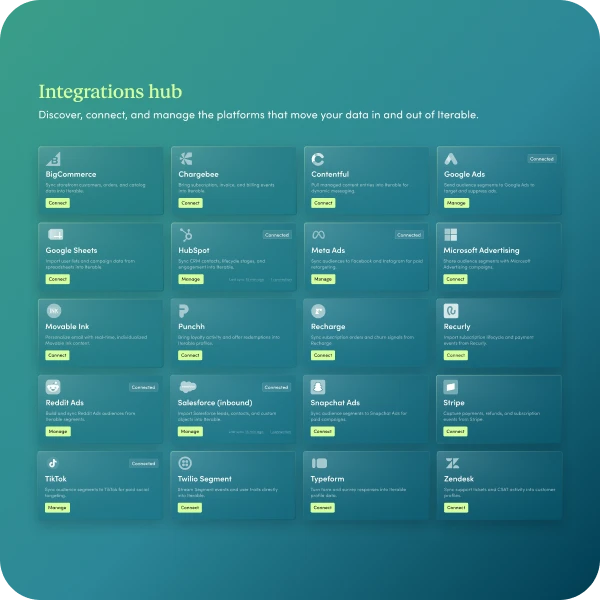
The Integrations Hub from our Fall release now grows to roughly three times as many integrations, all launching in open beta. Most are one-way syncs.
Here’s the full list:
Paid ads
These sync Iterable audiences out to ad platforms, matched on hashed email. Journeys add and remove people as they progress, so you don’t need CSV exports or webhooks.
- Reddit Ads: Send lists to Reddit audiences, such as excluding current customers from acquisition campaigns or retargeting trial signups until they convert.
- Snapchat Ads: Sync audiences to Snapchat Customer Lists, such as retargeting shoppers who haven’t purchased and moving buyers out automatically.
- Microsoft Advertising (Bing): Keep Microsoft audiences in step with your journeys, such as removing converted prospects or adding lapsed customers to a win-back audience.
- ChatGPT Ads: Send audiences to ChatGPT Ads, such as excluding recent buyers or reaching customers who haven’t purchased in months.
*Microsoft Advertising needs 300 matched people before it uses an audience. ChatGPT Ads custom audiences aren’t available in the EEA or Switzerland.
Commerce
These bring customers and orders into Iterable.
- BigCommerce: New orders and customer profiles flow in, so you can welcome new sign-ups and follow up after every purchase. Product sync requires Catalog.
- WooCommerce: Orders, including guest checkouts, arrive minutes after checkout, so you can send confirmations and win back buyers who haven’t ordered again.
- Adobe Commerce (Magento): Customers and orders sync on a schedule, so you can follow up on every order, welcome new account holders, and recommend products based on past orders.
*Adobe Commerce isn’t real time. By default, orders sync every 10 minutes and customers every 15.
Subscription and billing
These send real-time subscription activity into Iterable.
- Chargebee: Trials, plan changes, and cancellations can start journeys, such as nudging a trial before it ends or branching a win-back by cancellation reason.
- Recurly: Subscription, failed-payment, and dunning activity can trigger journeys, such as recovering failed payments or winning back canceled subscribers.
CRM and support
- HubSpot: Lifecycle stage and lead status sync from HubSpot contacts, so a stage change can move someone into the right nurture or onboarding journey.
- Microsoft Dynamics 365: Contacts and leads sync into Iterable profiles every 15 minutes by default, so you can nurture new leads and onboard them when they convert.
- Intercom: Opt-outs, contact details, and custom attributes flow into Iterable, so you can suppress opted-out contacts and re-engage customers who’ve gone quiet by plan or tier.
Loyalty and ticketing
- Punchh: Tier, points, check-ins, and rewards update in near real time, so you can send “your points expire soon” reminders and thank guests after a visit.
- SeatGeek: Purchases, refunds, exchanges, and gate scans sync on a schedule, so you can send pre-event reminders and treat attendees and no-shows differently afterward.
Data, content, and testing
- Typeform: Each submission brings in the submitter’s email and which form they used, so every form can start its own journey. It doesn’t bring in their answers.
- Contentful: Published entries and images sync to Catalogs automatically, so newsletters and recommendations always use your latest content. Requires Catalog.
- Google Sheets: Rows sync to a Catalog hourly, every 6 hours, or daily, so teams can manage promotions or product details in a sheet.
- Statsig: Experiment assignments sync to profiles and can trigger journeys, so messages match the version each user sees in your app.
Each integration has its own setup requirements, so check support docs before you plan a rollout.
More Ways to Work Smarter ✨
Preview of AI Summarization
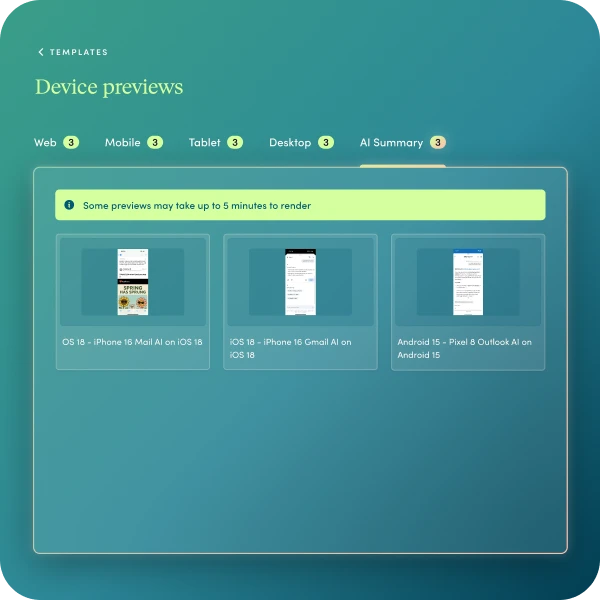
- What’s included: A new AI Summary filter in Preview on Devices, next to Web, Mobile, Desktop, and Tablet.
- Why it matters: Inbox AI can summarize your email before anyone opens it. Check how your subject line, preheader, and key message are likely to read, then revise before you send. It’s a prediction, not a guarantee of what each inbox will show.
Community Tip: Add it to your QA checklist. If the summary buries your call to action, rework the preheader or the first lines of copy. Also note that spam testing is being discontinued because few customers used it, and Preview on Devices is moving to a new rendering provider with a smaller set of clients and devices.
How to Get Started & Resources
- Head to our Winter 2026 Product Launch Hub for overviews and guides. Release notes, support docs, and Academy courses are coming Dec 2.